
Calculating the correct sales tax for an address isn’t as simple as looking up a ZIP code. Jurisdictions often overlap, and rates can vary block by block. By integrating FileMaker with a geolocation-based tax service like Avalara, you can automate these lookups and ensure every transaction uses the most accurate rate. This article shows how to pull address-level tax data into FileMaker using Avalara’s free Tax Rates API, parse the JSON response, and, if your needs are more advanced, leverage Avalara’s CreateTransaction endpoint for complete tax calculation and record-keeping.
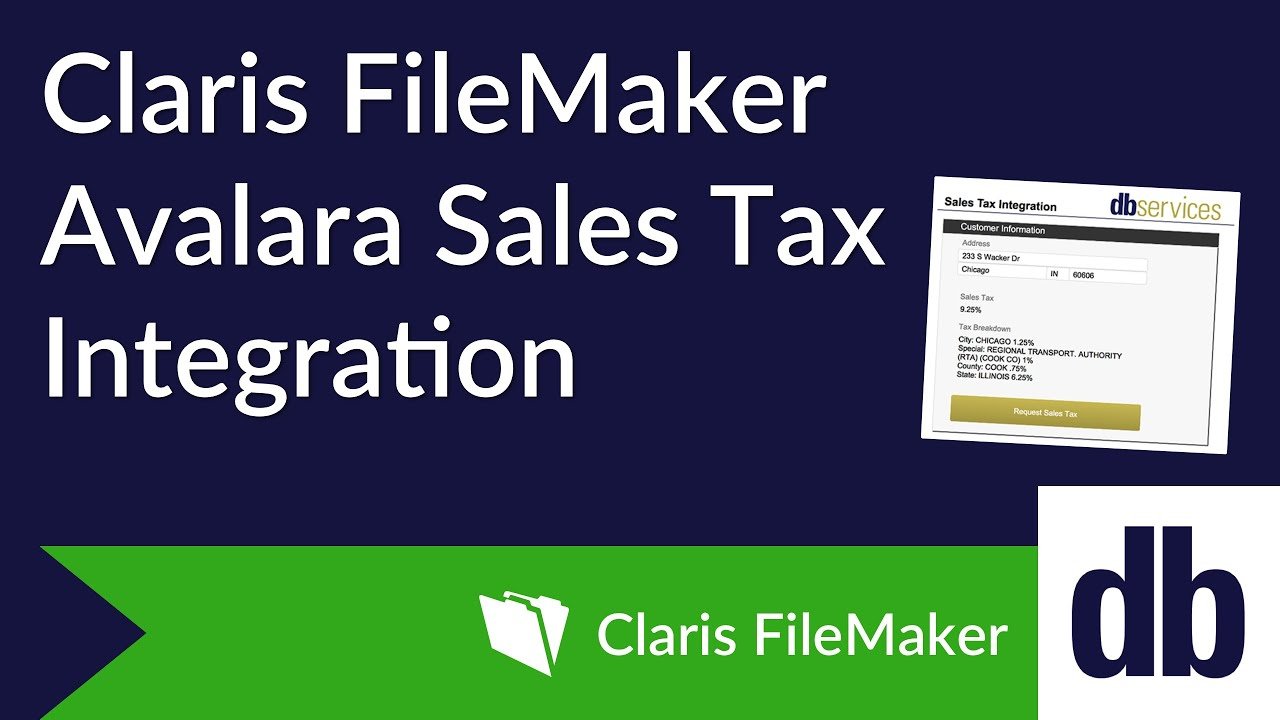
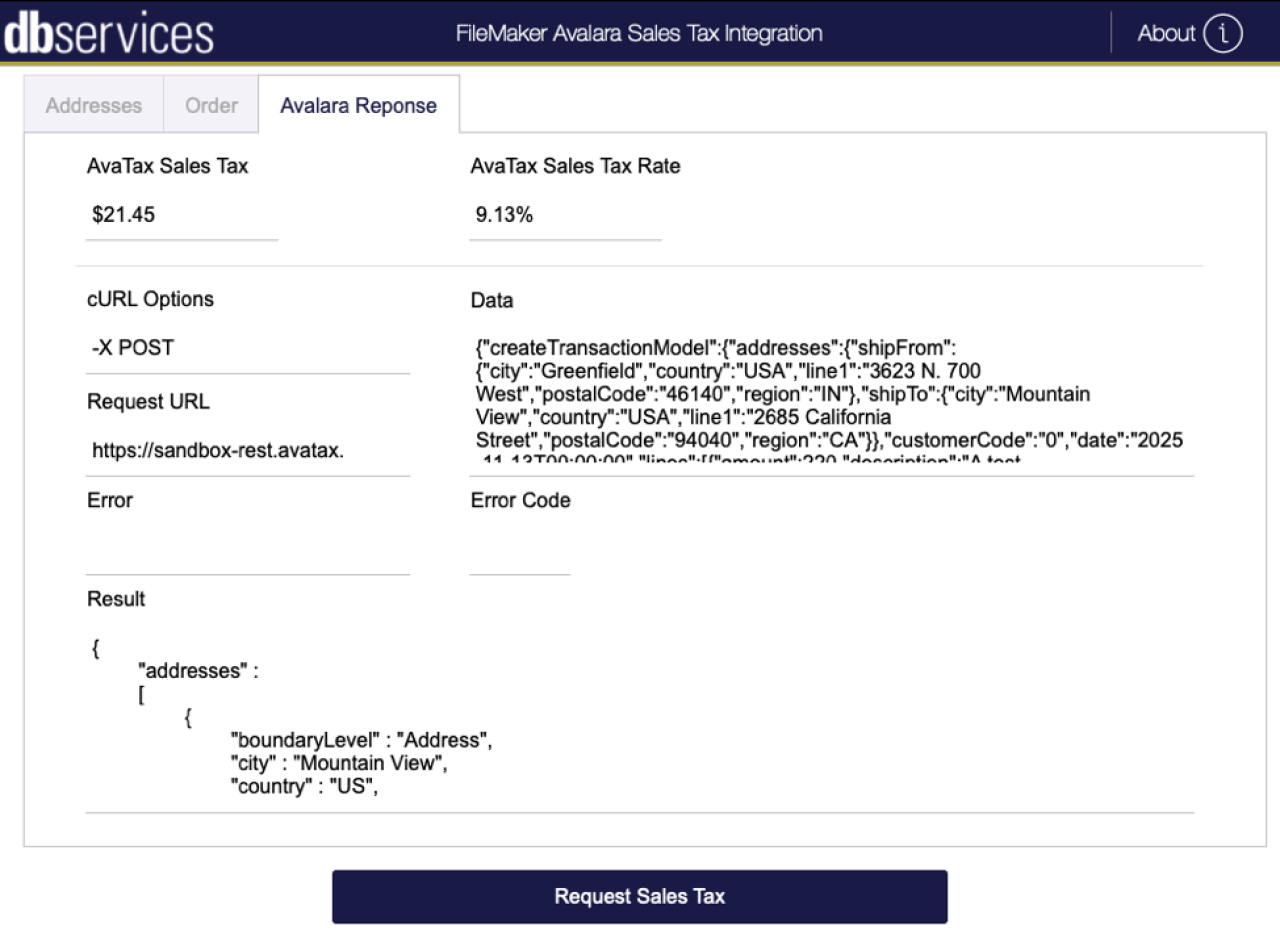
Sales Tax Through Geolocation
When searching for the web service you would like to use, you will want to make sure you find one that allows you to get the tax rate using an address or latitude and longitude. Most web services offer a look-up based on a zip code; however, this often returns an inaccurate sales tax because a specific zip code can encompass multiple jurisdictions. In our example, we are utilizing the free service from the Avalara Tax Rates API to determine the sales tax for a specific street address. This API will translate an address into geographic coordinates behind the scenes to provide the most accurate tax rate for that address. However, if your tax needs are more complex, Avalara offers additional services.
Integrate With FileMaker

To find the sales tax for an address in FileMaker, you must register with Avalara to obtain your API key. The API key is what you will pass to Avalara, allowing Avalara to recognize you as a user; therefore, treat this key like a password. Once you have the key, you will need to create a URL query to request the sales tax from Avalara using the FileMaker script step 'Insert from URL'. You will also want to make sure that the parameters within your URL are encoded using the FileMaker function GetAsURLEncoded(). Feel free to review the Avalara Tax Rate API documentation to learn how to construct the URL.
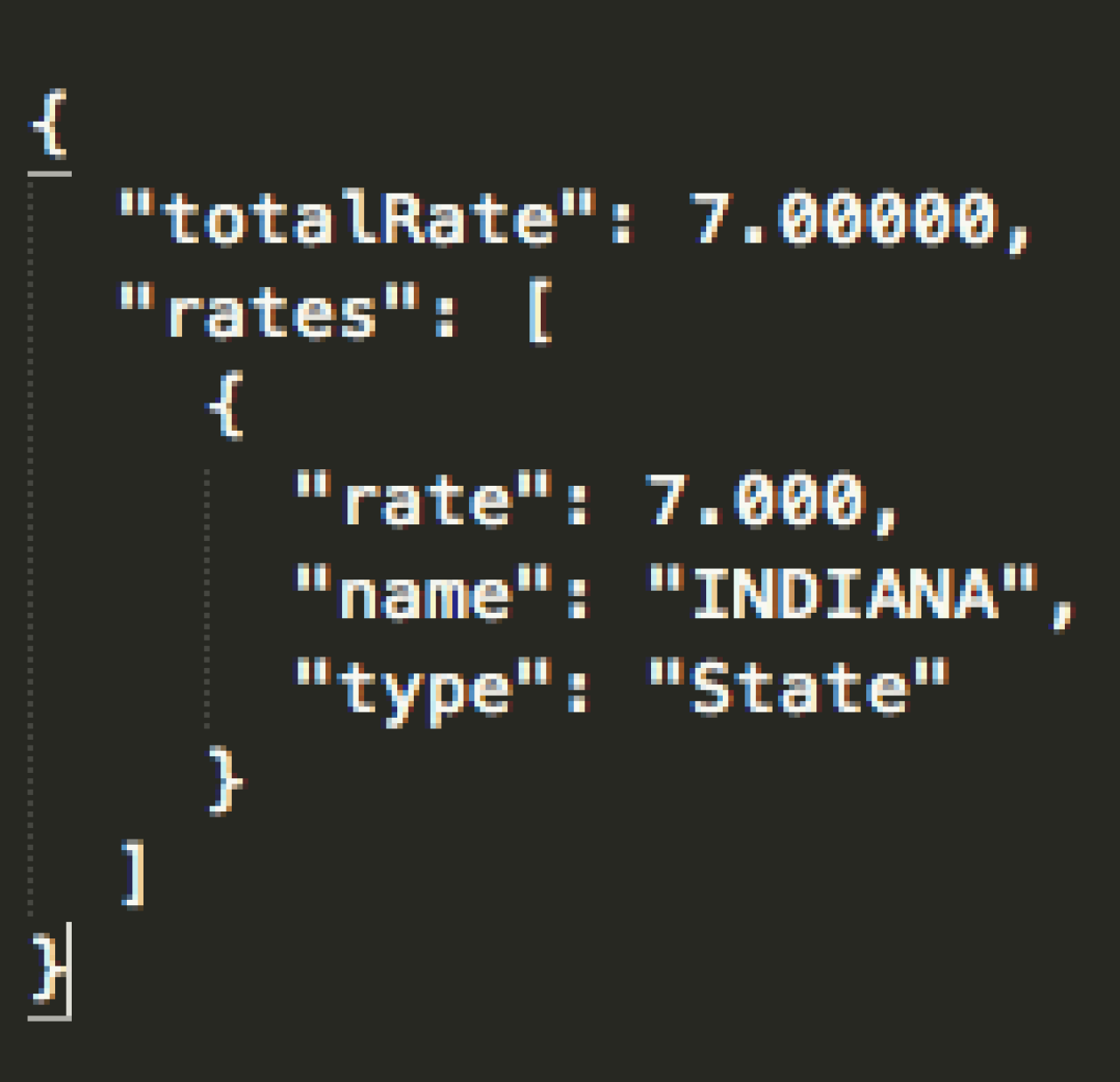
Once the URL has been built, the request will return a JSON-encoded text response, which includes the total tax rate for that address and all the jurisdictions that contribute to the total tax rate. FileMaker does not have a native way to decode JSON-encoded text, but you can use text parsing to parse the response, as it is not overly complex. You may also use the BaseElements Plugin, which has a function specifically for JSON text parsing, known as JSONPath.
CreateTransaction Endpoint
For paying customers, Avalara offers more powerful endpoints for tax calculation. Similar to the free AvaTax API mentioned above, the CreateTransaction endpoint calculates sales tax based on an address. Unlike the free API, the CreateTransaction endpoint will return the amount of tax owed on a transaction, keep records of every transaction and tax calculation, allow you to specify tax jurisdictions for an address manually, and more.
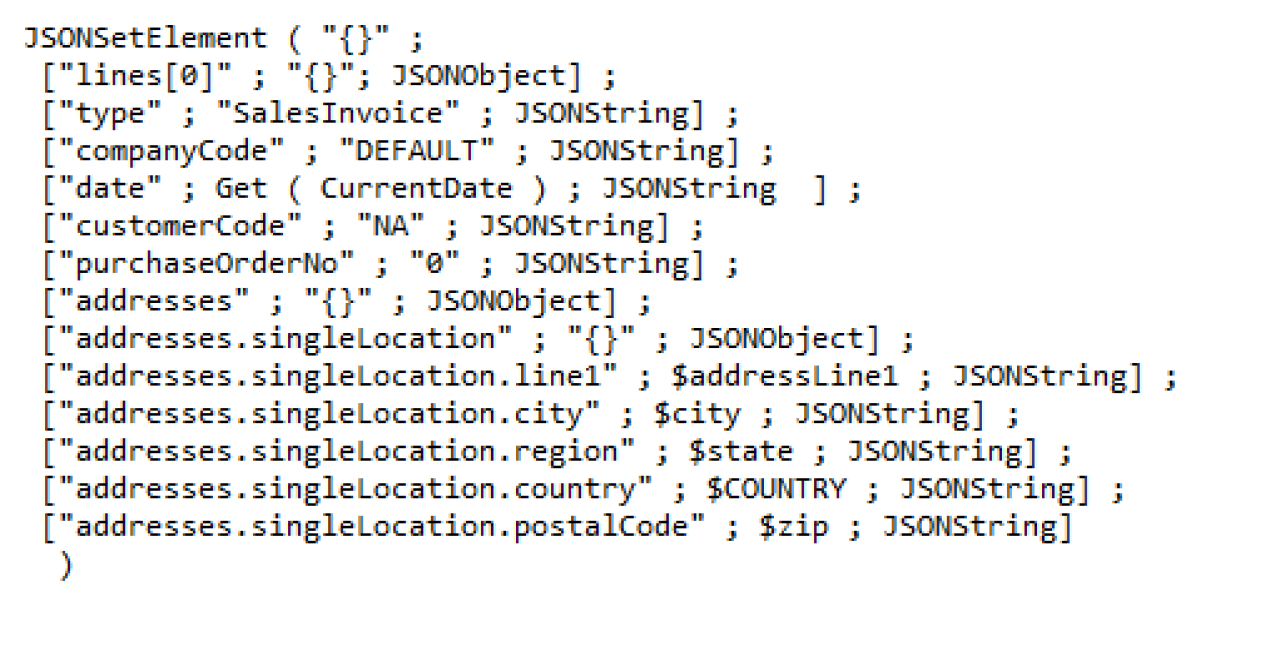

Unlike the free AvaTax endpoint, data is sent as a JSON object along with your other cURL options. Multiple taxable items can be included in one transaction. As before, the "Insert from URL" script step is used.

Because you have the option to include taxable items and their prices in the data JSON object, Avalara will return the amount of tax owed on the transaction, along with a breakdown of which tax jurisdictions contribute to the total tax amount in JSON encoded format. Using the JSONGetElement( ) function in FileMaker to parse relevant data is relatively straightforward. For a tax rate calculation like this, you would pull the rate value in each item of the details (tax jurisdictions) arrays within each of the line objects, as shown above.
Conclusion
Integrating Avalara’s tax calculation services with FileMaker gives your business a reliable, automated way to determine accurate sales tax at the address level. By leveraging geolocation-based lookups, parsing JSON responses, and tapping into Avalara’s more advanced endpoints when needed, you can eliminate manual tax guesswork and ensure every transaction is calculated correctly. This approach not only improves accuracy but also streamlines operations and reduces the risk of errors as your business grows.
Connecting FileMaker to the other tools your business runs on? See how our FileMaker integrations work. If you’d like support implementing Avalara or enhancing your FileMaker solution, contact DB Services. Our team can help you design, build, and optimize a system that works seamlessly for your organization!
Did you know we are an authorized reseller for Claris FileMaker Licensing?
Contact us to discuss upgrading your Claris FileMaker software.
Download the Avalara Sales Tax Integration File
Please complete the form below to download your FREE FileMaker file.