
A FileMaker app lives or dies by its usability. If you’re unsure how your solution is performing, a FileMaker Health Check can help identify bottlenecks and areas for improvement. If you’d rather tackle it on your own, understanding where performance issues typically arise is the first step. Slow layouts, inefficient scripts, and poorly designed calculations can quickly frustrate users and limit scalability. Thoughtful performance optimization streamlines processes, improves responsiveness, and reduces technical debt over time.
In this article, we provide a high-level overview of what to review and how to optimize layouts, scripts, calculations, relationships, and hardware to keep your FileMaker solution fast, reliable, and adaptable as your business evolves.
What is Optimization?
Optimization is a method of improving processes by eliminating redundancies, increasing efficiency, and speeding them up. Some of the key areas to target for FileMaker optimization are:
Layouts
Scripts
Database Calculations & Summaries
iOS
Relationship Graph
Hardware
Optimizing your FileMaker system is essential. As your company grows, optimizations will help your system keep up with your workload.
Modular Code
An optimization mindset doesn't have to be limited to enhancing performance. Make your application easier to manage, update, and debug by working with reusable code, i.e., modular code. The benefits of writing your code this way include quicker updates, shorter development turnaround times, and improved compartmentalization. When structuring modular code, identify which script elements can be used by multiple processes.
For example, many API integrations require refreshing a token and/or creating a new session before a call can be made. You could write that refresh code into every script that uses the API, creating a lot of redundancy. A better approach would be to create a dedicated authentication refresh script (or scripts) whose sole purpose is to handle refreshes, regardless of context. That way, you would only need to make updates "in one place" if you need to change the API endpoints or restructure the curl request. See our Zoom Integration demo file for an example.
Another benefit of modular code is readability. Breaking your complex scripts into multiple subscripts, invoked by a parent script, makes the processes much more digestible when reviewing your scripts.
Optimizing Layouts
Layouts are where the bulk of interactions occur between users and data, and the choices you make as a developer can have a significant impact on performance and your users' experience.
Unstored Calculations
One common cause of slowness is the lack of storage for calculations on a layout. Each one needs to be evaluated in real time when a record is loaded or the window refreshes. Depending on the complexity, this can significantly impact your screens, frustrating users.
Number of Objects
Field objects are not the only source of performance drag. All visible objects must be rendered, including buttons, portals, images, charts, tabs, and slide controls. As you keep adding objects to a layout, you may notice it slowing down. (Note that rendering does not include hidden objects or inactive tabs/slides on the layout, but there may still be calculations to evaluate to determine what is hidden). Consider how you might organize your layouts to minimize the amount of content needed to load the screen.
If you are addressing an existing layout that causes significant bottlenecks, one approach is to show only what is necessary to the user. You could put "high cost" objects (calculations and other objects that noticeably slow down the layout) in a tab control, and have the default panel show only objects that load faster. This way, the more demanding objects are only displayed when the user chooses to reveal them.
You can also use hide conditions to show specific objects based on user permissions, record data, and even the system platform. Further, you can group objects with the same visibility rules together, and apply the hide condition calculation only once, to minimize the amount of calculating required to evaluate the hide condition.
SQL queries have their uses, but avoid them for layout calculations unless the table being queried has a minimal number of records (e.g., a Preferences table with 1 record). ExecuteSQL can cause layouts to load very slowly, because every single query must be executed. Depending on the SQL complexity, this can take several seconds to finish.
Styles
A Style is a predefined format that can be applied to significant aspects of a layout, like layout objects & parts. Styles enable us to establish a consistent approach to setting objects in a specific manner, such as the default color of a button or the size of text. For loading purposes, it is best to avoid widespread use of custom styles attached to the object. This will increase the layout's size and load times. Theme Styles are recommended in most cases as a modular way to set objects throughout your system and provide a single reference point. They allow for a layout to require only one Theme, rather than slowing it down with multiple custom styles. Refer to our "Themes and Styles" article for more information on utilizing these features.
Portals
Displaying data from related tables is an easy way to show necessary data without having to navigate to another layout; however, portals can significantly impact your layout performance. Keep these guidelines in mind to keep your portals from bringing your application to a crawl:
Limit the Number of Fields in Portals. Treat portal rows as previews, not full-record displays. Include a button to navigate directly to that record— or open a card window to that record— to show more information. This allows users to see related data at a glance and, if needed, drill down to view the full record.
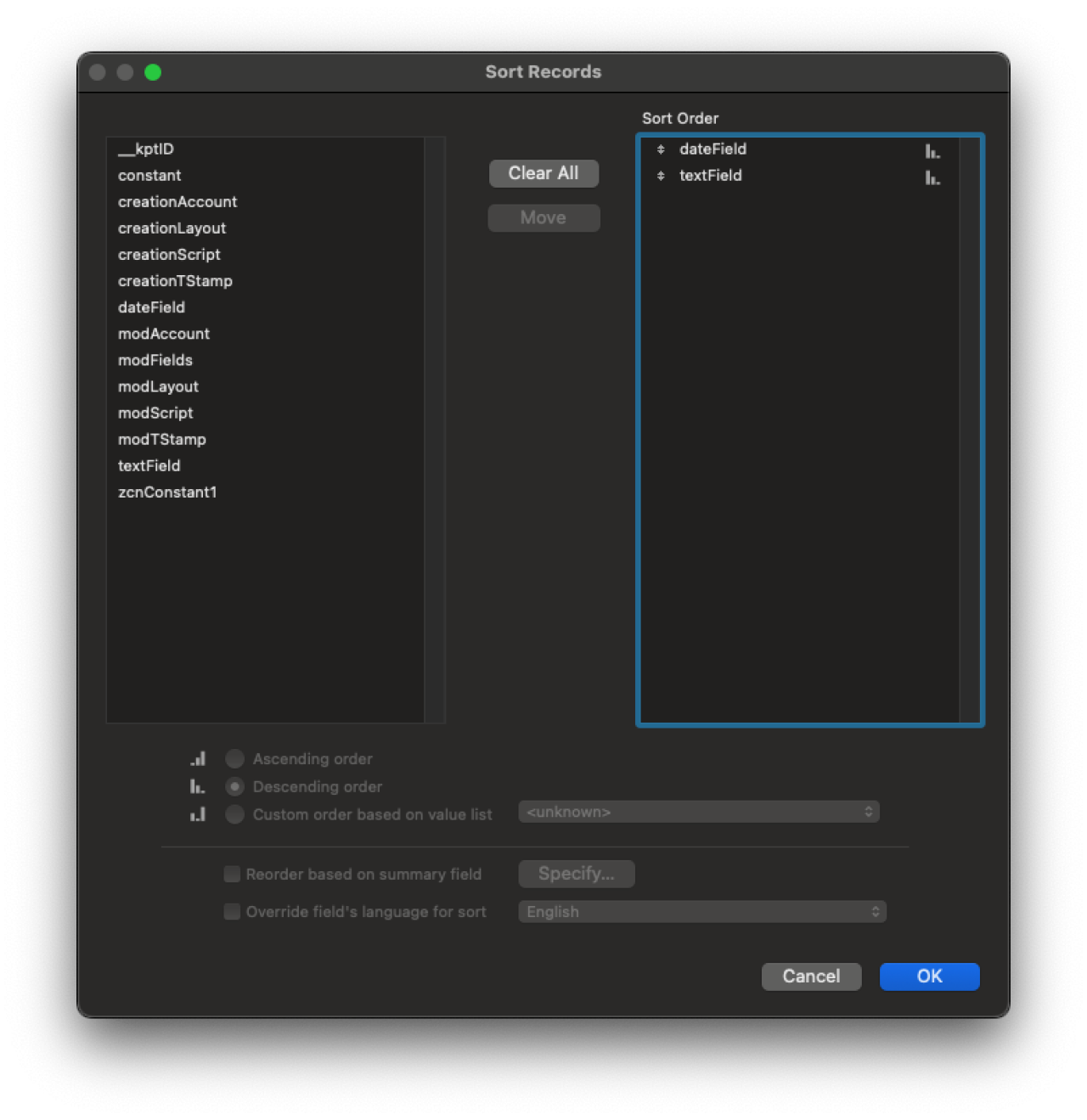
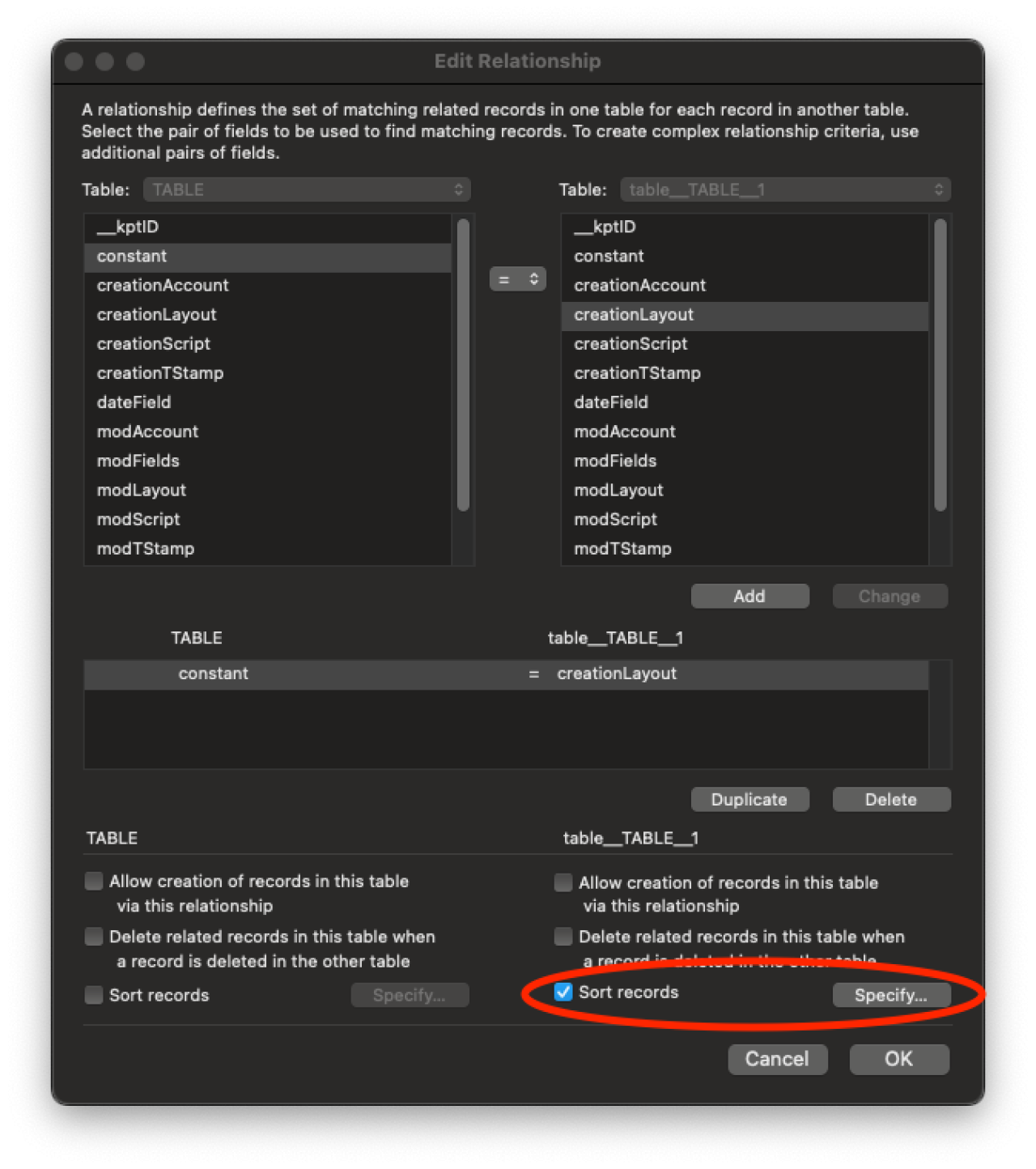
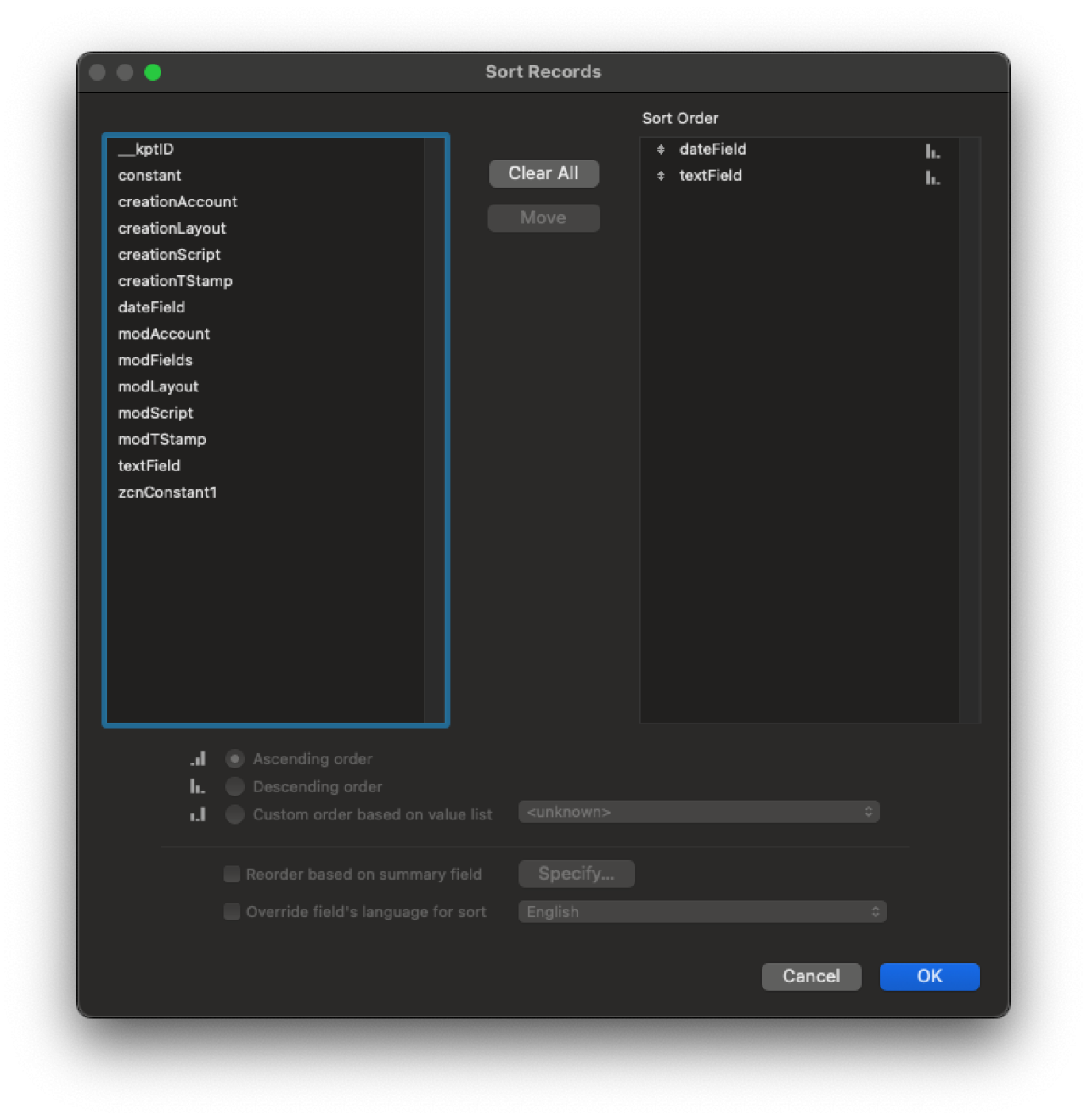
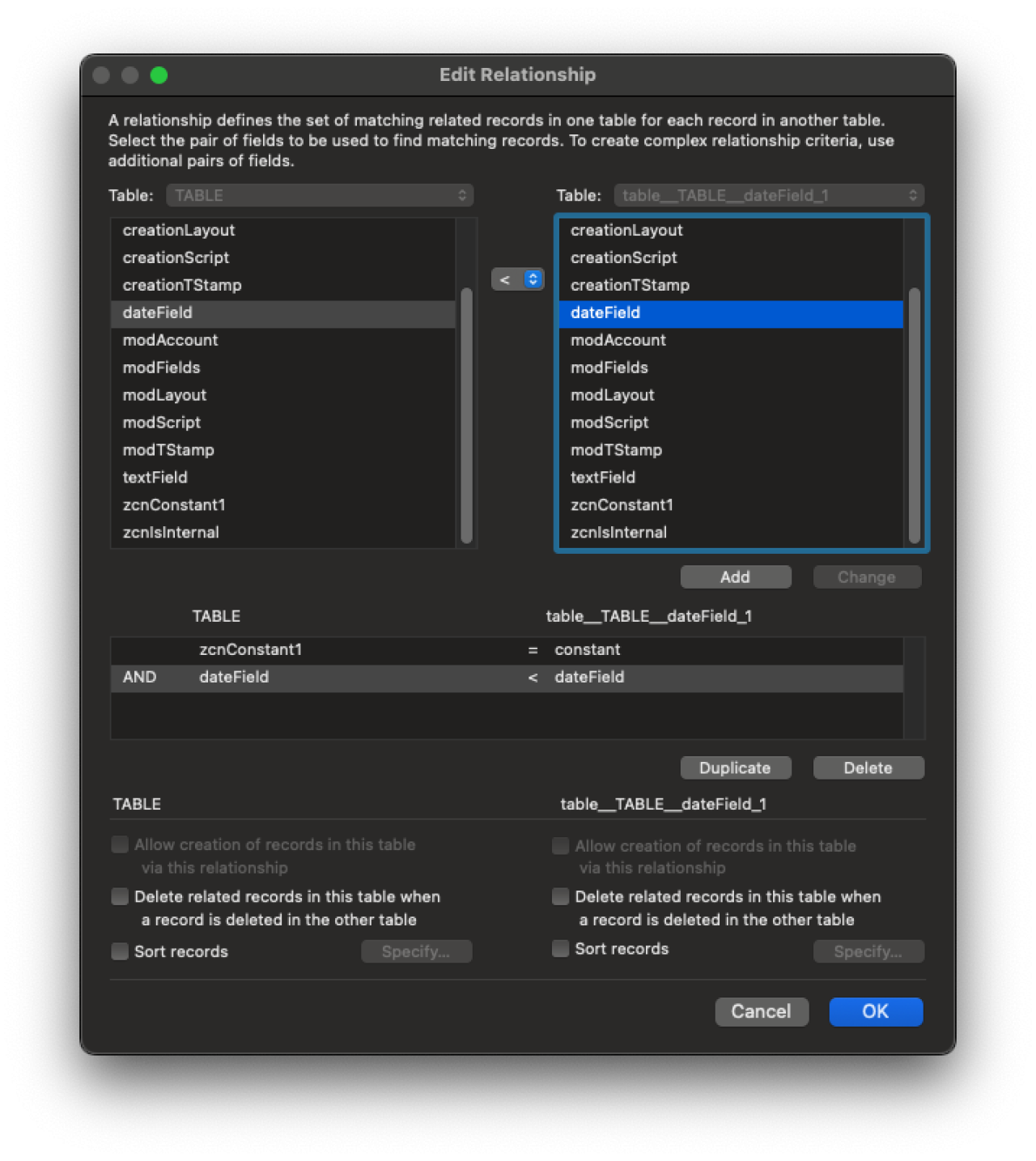
Use Portal Sorting sparingly. This is one of the most common causes of slow portals. Where possible, sort on the relationship itself rather than at the portal. Avoid sorting based on unstored calculation fields or related data from the portal's context.
Example of Portal Sorting:
Example of Relationship Sorting:
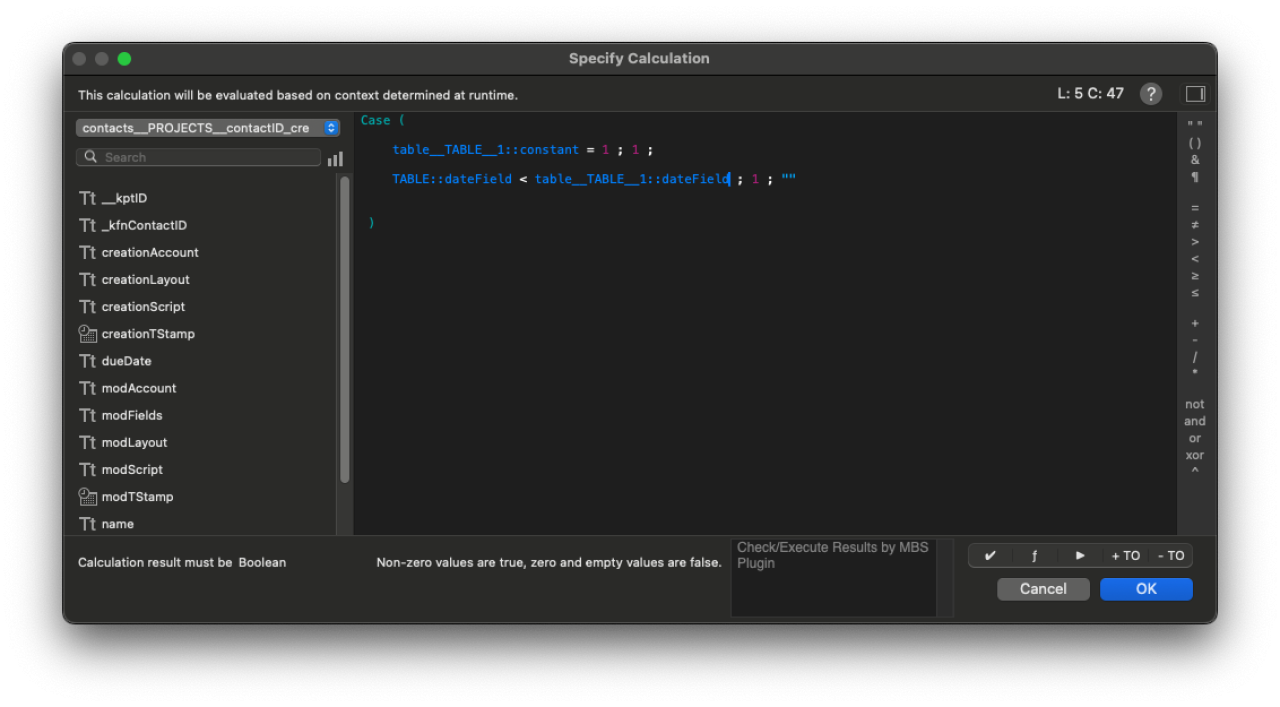
Avoid Portal Filtering, especially filtering that relies on an unstored calculation field. FileMaker must execute a query for each record in the filtered portal before determining whether to display the record.
Example of Bad Filtering:
Example of Good Filtering:
Optimizing Scripts
Here are a few practices to consider when creating scripts to automate processes in your files:
Start the application on an Empty Screen with only one record to ensure that no triggers run, it does not render any unnecessary objects, and it does not update record data.
For Finds, enter Find Mode before navigating to any new layout. This will prevent triggers or unnecessary record data from being loaded when performing a find in a script.
Example:
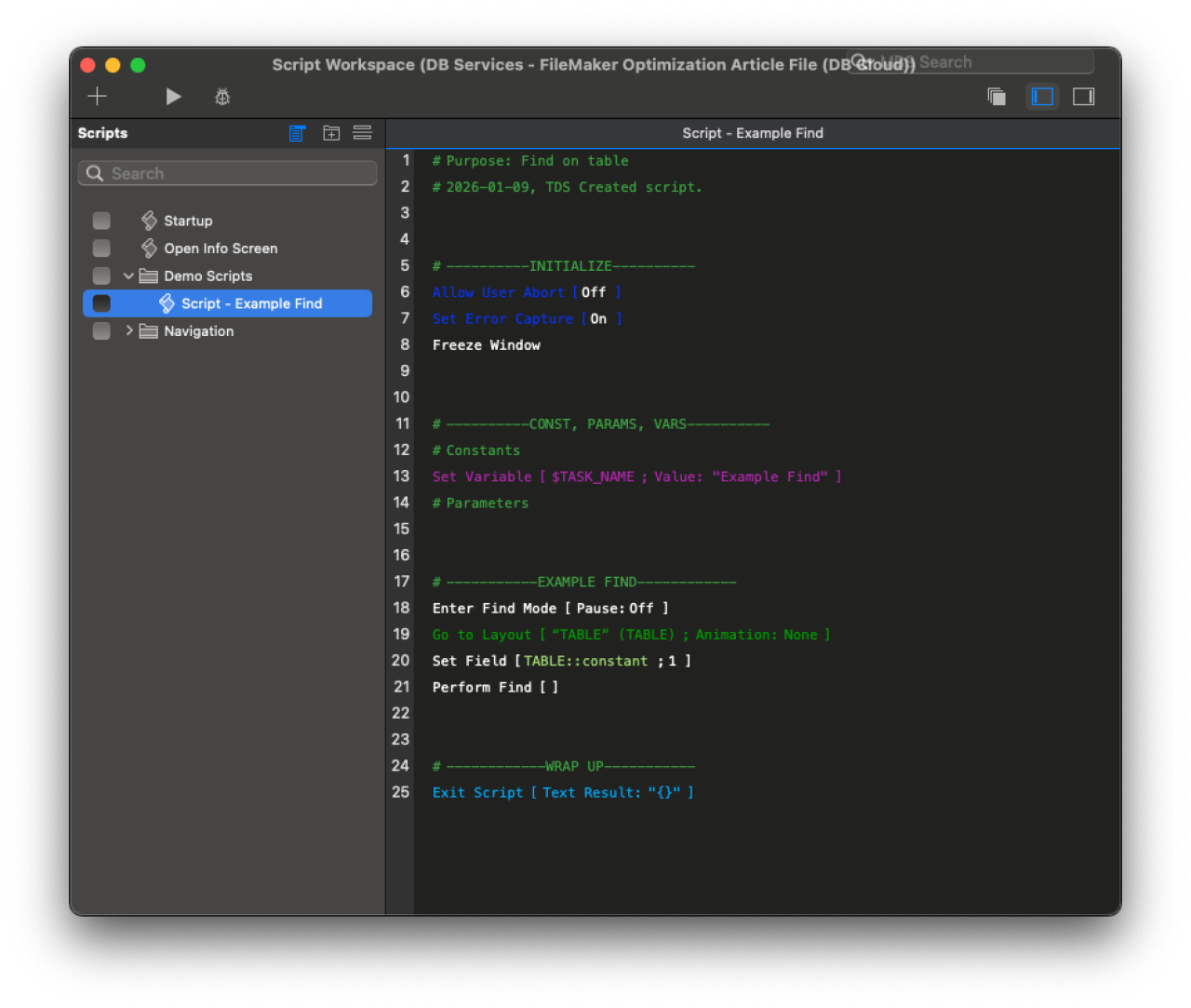
Use Freeze Window at the beginning of a script to prevent object rendering and window refreshes while the script is running. Note that this only applies to the current window.
When a Refresh is needed, for example, to update an unstored calculation based on scripted changes to the data, only refresh individual objects rather than the whole window.
Optimizing Database Calculations & Summaries
Calculation fields can be very intensive. Keep these best practices in mind:
Unstored calculation fields can cause slowness in any process that references them. However, deliberately using unstored calculations can be a wise choice if the field is only needed occasionally, as it prevents the calculation from being re-evaluated during unrelated processes.
If the field does not require constant updates, use auto-enter calculations that trigger only when necessary.
Be especially careful with While loops in calculation fields. This can cause massive slowdown whenever the calculation is triggered, and an error in a While loop can have a devastating effect on your database.
Summaries can help summarize data from multiple records, such as a total amount earned across various payment records. However, it is best to consider the type of data being summarized, such as calculated fields. For all fields in the foundset, they must be counted, averaged, or summarized before displaying any screen.
Optimizing iOS
There are some special considerations for optimizing FileMaker Go:
Separate workflows and screens into multiple layouts, rather than a single, comprehensive detail screen. This allows users to read smaller screens more easily, and makes room for larger buttons and increased padding.
Restricting the number of calculations and objects per layout is even more critical.
Optimizing the Relationship Graph
Denormalizing your data can provide significant performance enhancements, though it does increase the size of your files, so you may want to use this technique in targeted ways.
What is denormalization? It adds redundant copies of data to the database to improve query performance.
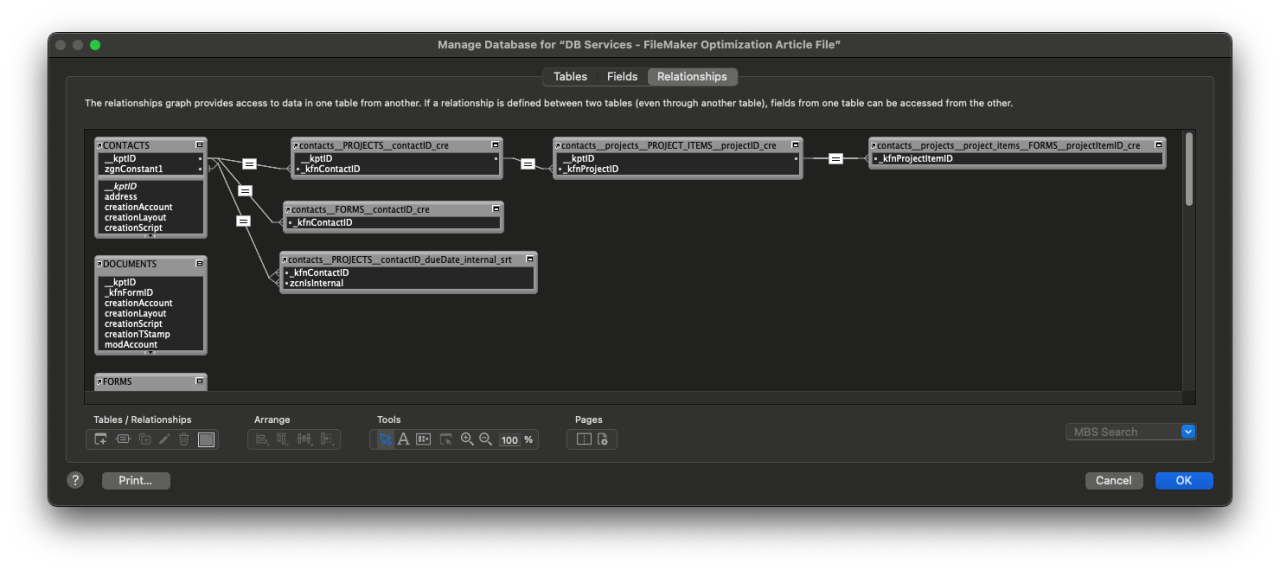
How do you denormalize in a relationship? For example, adding and storing a customer's ID in its related forms table provides a direct connection to all related form records for the customer's needs. This will prevent unnecessary queries through other tables to reach the related records.
Example:
Optimizing Hardware:
We recommend reviewing the FileMaker server versions and Claris specifications.
An overview of Claris FileMaker 2025 Technical Specifications
Use a dedicated server machine for your FileMaker Server, with the sole purpose of serving as a database server. This prevents unnecessary complications with other server-side script processes unrelated to FileMaker.
WAN Optimizations
Minimizing queries is even more critical in WAN environments due to latency. FileMaker Pro and FileMaker Go perform numerous round-trips with queries, and in some cases, seem unnecessarily "chatty" with the server. For example, a related sort takes significantly longer over the WAN because it appears that FileMaker is sending a remote query to the server for every single individual record in the sort, rather than performing the type in a batch on the server. Because these behaviors are very sensitive to latency, it's even more critical to minimize queries over the WAN.
Consider the WAN environment's location. The closer the environment is to the most users, the lower the overall network latency, so choose the hosting location closest to the largest number of users in the system.
Consider using PSOS (Perform Script on Server) to run longer scripts. PSOS can enhance LAN performance by executing scripts on the server side. Keep in mind that there is a processing cost to opening a server session (and re-running the server startup script). It may not always be the fastest option.
Ensure the Health of Your FileMaker Application with a FileMaker Health Check
Just like you schedule an annual physical to make sure your health is on track, your Claris FileMaker application deserves the same level of attention. Your system plays a critical role in running your business, but when was the last time you evaluated how well it’s truly performing?
Are you getting the full return on your investment in Claris FileMaker? If your answer is “no” or even “I’m not sure,” it may be time for a closer look. Our complimentary FileMaker Health Check helps identify performance issues, inefficiencies, security risks, and opportunities for improvement, ensuring your application is optimized, reliable, and positioned to support your growth.
Some key benefits of a FileMaker Health Check include:
tailored recommendations designed to drive your business objectives
Get more value out of your investment in Claris FileMaker
Address current challenges and prepare for future growth
& so much more!
Conclusion
Optimization isn’t a single fix. It’s an ongoing process of fine-tuning layouts, scripts, calculations, relationships, and hardware. These improvements collectively result in faster performance, smoother user experiences, and more scalable systems. Make sure your FileMaker application is running at its best! Schedule a complimentary FileMaker Health Check today and receive a detailed performance report with expert recommendations to maximize its value. Need help optimizing your Claris FileMaker application even further? Contact DB Services to help you take the first step towards a more robust, efficient, and optimized FileMaker app!
Did you know we are an authorized reseller for Claris FileMaker Licensing? Contact us to discuss upgrading your Claris FileMaker software.
Download the FileMaker Performance Optimization File
Please complete the form below to download your FREE FileMaker file.