FileMaker Pro 2026 is here, and it's a release worth getting excited about. Claris has delivered meaningful upgrades across the board! From smarter AI tooling and a redesigned Layout Inspector to powerful new PDF script steps and conditionally editable fields, this update is packed with features that make building in FileMaker faster, cleaner, and more capable than ever. Let's dig into what's new!
AI Improvements in Claris FileMaker 2026
With this update, Claris continues to broaden its AI offerings available within the space. On top of the recent MCP product they released in December 2025, Claris continues to build on the foundation of the AI tools introduced in their most recent versions. While this update does not add native FileMaker agentic development capabilities, it introduces updates that make the existing FM tools much easier to leverage, as well as new features that pair well with external AI Tools.
Database Manager & Field Annotations
In previous versions of Claris FileMaker, you had the option to put text inside the field description in the Database Manager to give context to the LLM script steps about the respective field's purpose (so long as you prefaced it with the text "[LLM]"). This is an important feature, as sometimes the naming conventions of your fields are not obvious to an AI, so this description provides the context it needs to perform the functions you expect. However, this method was not very intuitive for developers (and also requires you to remove your previous field comments), which is why Claris has now updated the Database Manager to include dedicated settings for field annotations.
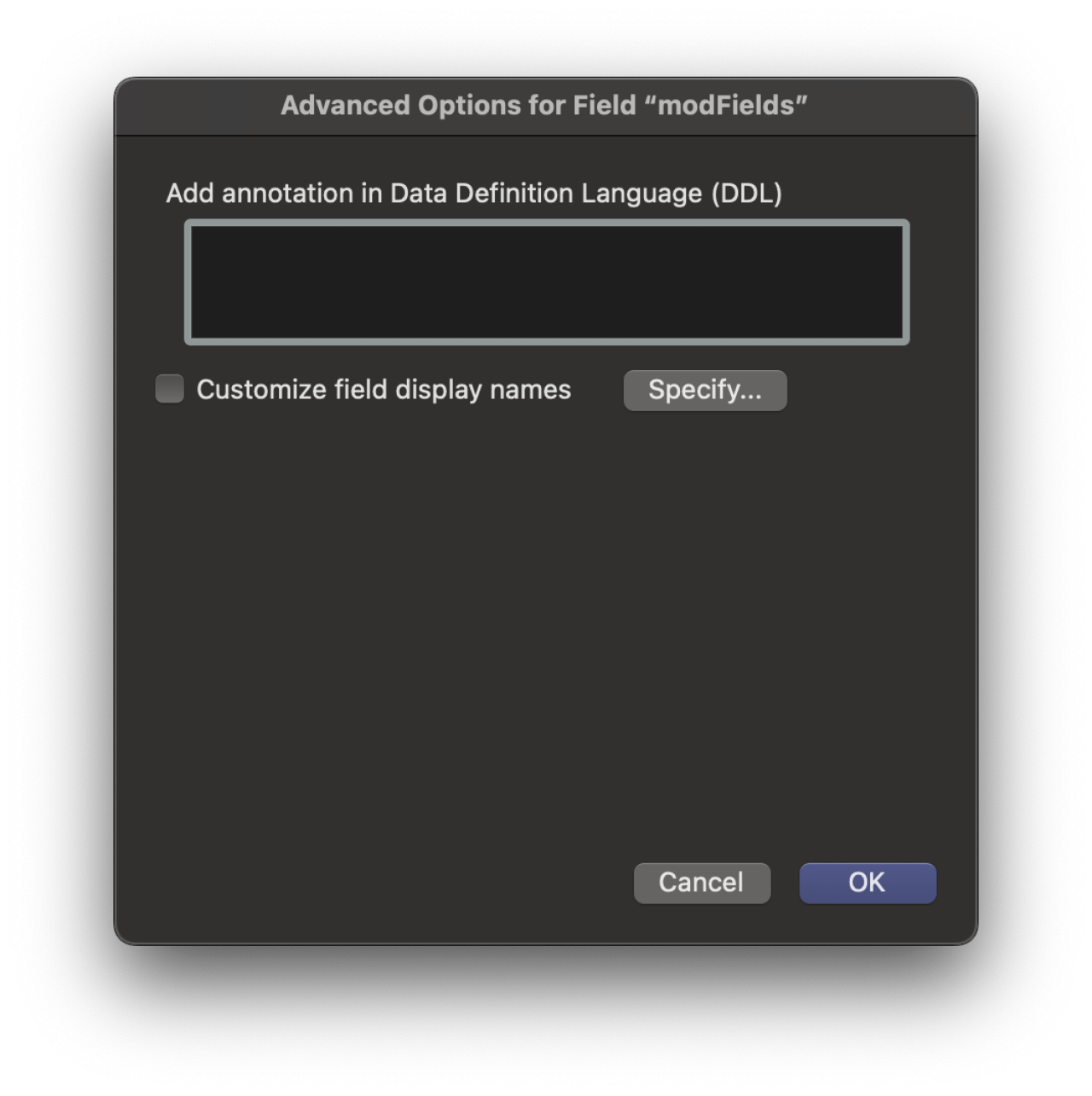
In this update, when selecting a field in the Database Manager, you can now click the "Advanced" button to open a new window. In this window, you can specify a description that will be included in the DDL, which is what is used by AI Models. For more advanced users, there is also an option to "Custom Field Display Names", which allows users to edit the display names of these fields in other native FileMaker operations, such as sorting and exporting, making it more intuitive.
To complement these changes, there are three new functions, FieldAnnotation(), BaseTableComment(), and FieldDisplayNames(), if you want to retrieve your comments programmatically.
Save as XML Improvements
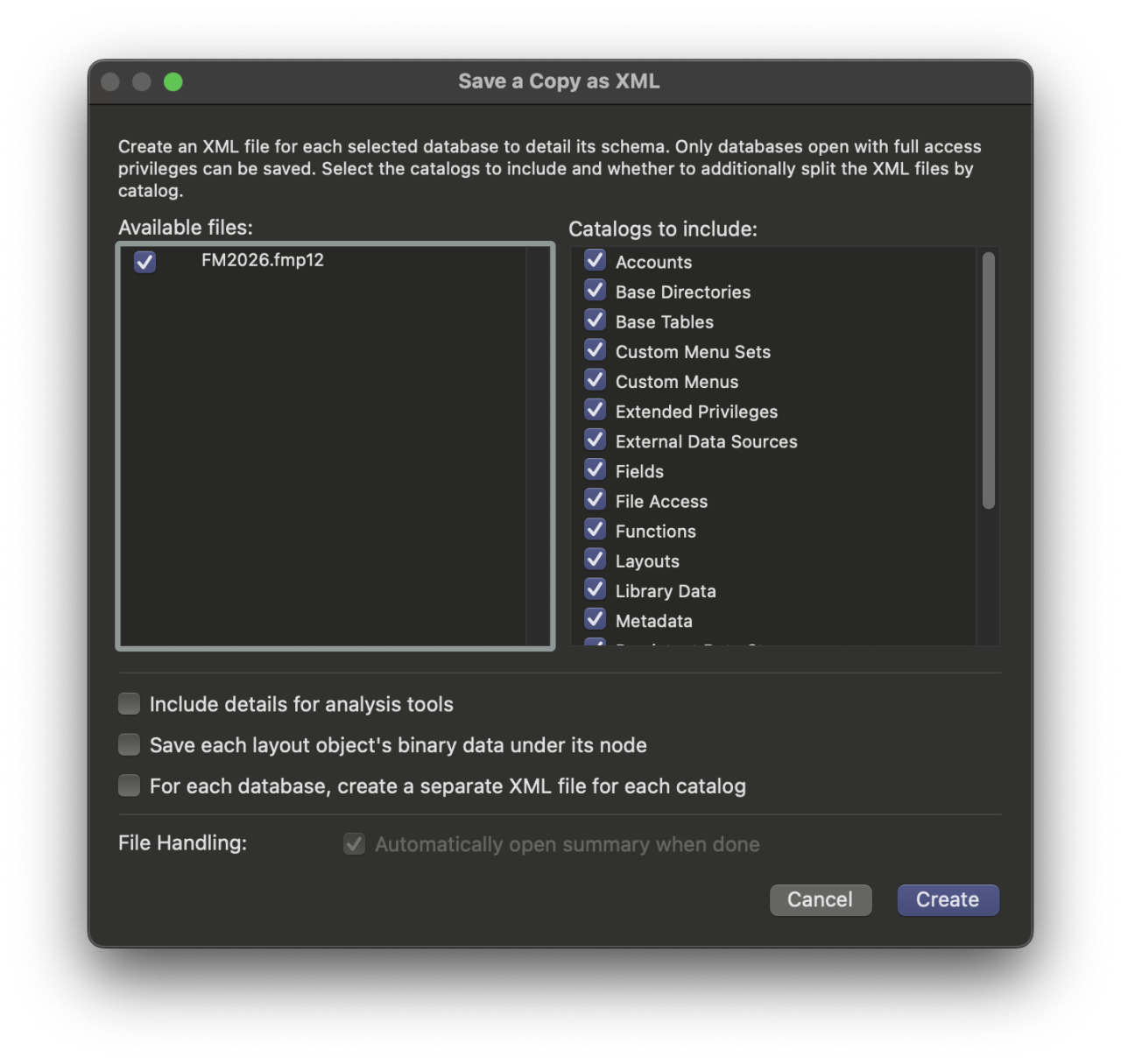
The Save as XML feature has now been updated, and you are greeted with a new dialog when selecting the option from the menu. This new dialog lets you select individual catalogs to include in the output XML, such as Accounts, Base Tables, Layouts, and Scripts. You can now also export binary data for layout objects into their own catalog, rather than keeping it with the layout object. With the added flexibility to manipulate the XML exported from FileMaker, these additions can pave the way for new third-party tools and enable more flexible parsing of your FileMaker solution with AI Tools.
These changes also lay the groundwork for the Solution Upgrade Tool updates in FileMaker Server 2026, which now let developers recreate .fmp12 files directly from source XML.
Conditionally Editable Fields
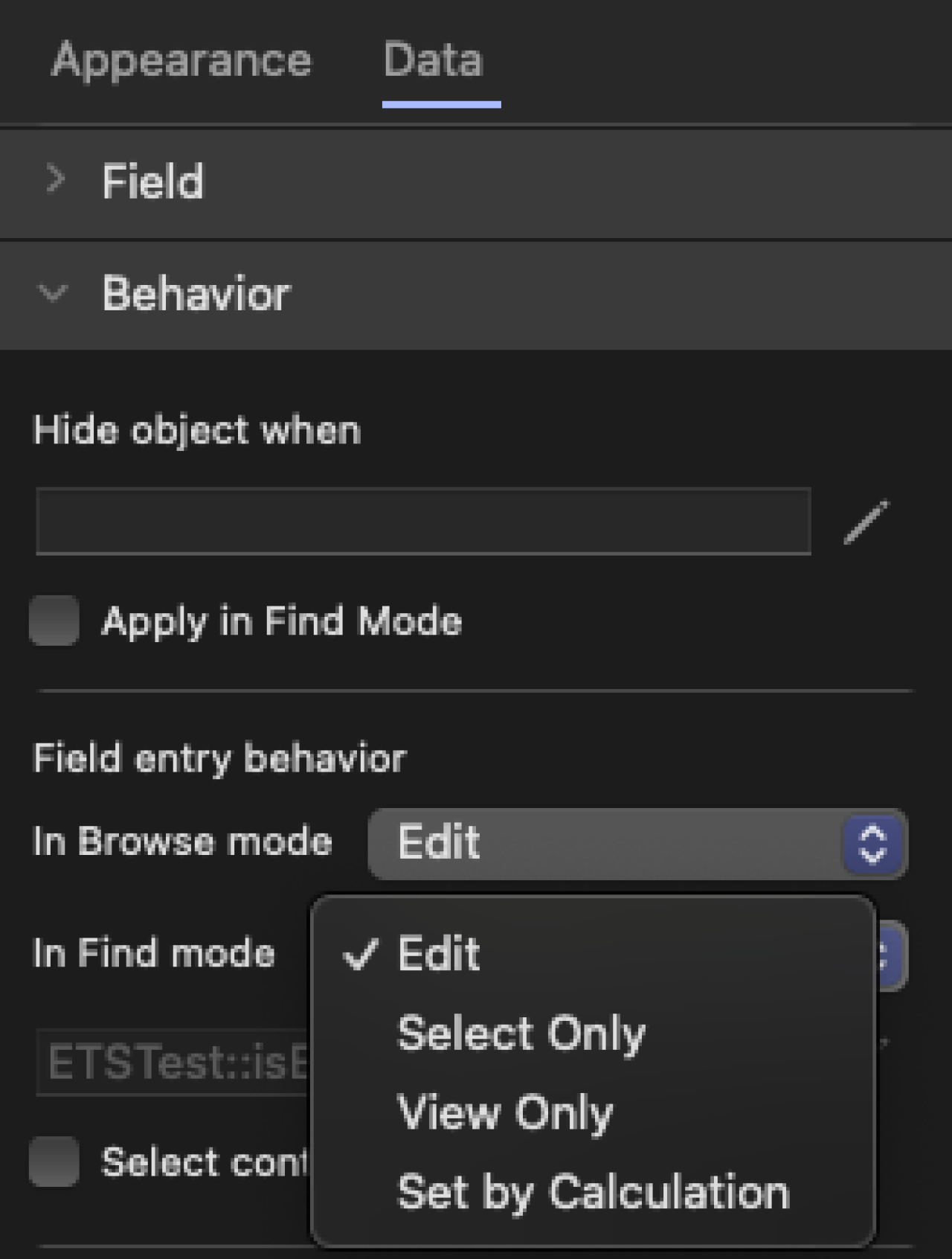
There is now the ability to make fields conditionally editable with a Boolean expression. Previously, you had to stack two fields with diametric hide conditions, have multiple layouts, or other means of 'tricks' to make fields appear to become uneditable. But no more! With this new update, you can specify a field's editability, greatly reducing the overhead of managing security rules (who can edit what) and the layout work required to support them.
Introduction of the Smart Inspector
The Layout Inspector has undergone an overhaul in both its appearance and its macOS implementation. The UI has been consolidated from 4 tabs at the top to 2. Additionally, the Inspector has been updated to dynamically show and hide options that are strictly applicable to that object. For example, when highlighting an object that is just a plain line object, you will no longer see the option to change its control style (as if it were a field) to make it use an edit box, dropdown, calendar dropdown, etc. The option will not display at all. This enhancement will greatly reduce clutter and streamline changing layout object options without the need to scroll through superfluous settings.
New Suite of PDF Script Steps
With this update, we also have a new series of script steps for PDFs. These new script steps aim to make managing PDFs in FileMaker more robust than ever before. While the individual steps are simple, together these new features offer greater flexibility in designing PDF-generation solutions, and are another welcome addition to the Developer's tool belt.
Create PDF: Creates a new, empty PDF at a specified path in memory. Using the other new steps, you can manipulate its contents.
Open PDF: Opens an existing PDF at a specified path in memory. Using the other new steps, you can manipulate its contents.
Append PDF: Appends PDF pages specified to the file currently opened by the "Open PDF" or "Create PDF" script step.
Close PDF: Closes and then saves the currently open PDF to a file path, container or variable.
Print PDF: Lastly, this lets you directly send a PDF stored in a container, path, or variable directly to your printer.
More Features
The Show Custom Dialog script step now supports specifying the height/width/distance from top/distance from left.
You can now read and write data into "Persistent Data Storage" with the new "Configure Persistent Data" script step and the "Get(PersistentData)" function.
You can now specify whether or not to use the Flash when taking a picture from the "Insert From Device" script step.
JSON responses returned from the "Insert From URL" script step are automatically cached as if they were JSONParse() ed.
Commented / Disabled code can now be collapsed in the Script Workspace.
Full Access users can now skip auto-enter options in the Replace Field Contents dialog.
Custom Functions now have an option to be editable by Full Access or all users.
When importing numbers from an Excel, there is a new option "keep original data from text fields" to account for text fields imported as scientific notation.
You can set a customized zoom level instead of the previously fixed values.
Conclusion
Whether you're wiring up smarter AI automations, decluttering your layouts with the new Smart Inspector, or finally ditching your PDF workarounds, FileMaker Pro 2026 has something for everyone. Claris is moving in the right direction, and this update lays solid groundwork for what's still to come!
Pro 2026 shipped alongside FileMaker Server 2026, which brings its own major upgrades, including a native Remote Backup feature for extra protection against data loss.
If you are interested in learning more about or implementing any of the new features in the Claris FileMaker Pro 2026 update, please contact us at DB Services, and let's get your digital transformation started!
Did you know we are an authorized reseller for Claris FileMaker Licensing?
Contact us to discuss upgrading your Claris FileMaker software.