
Data loss doesn't announce itself. Whether it's a server failure, accidental deletion, or an infrastructure issue, losing critical FileMaker data can bring operations to a halt, and recovery without a solid backup strategy can be costly, slow, and stressful.
FileMaker Server Remote Backup, released with FileMaker Server 2026, solves this directly. It's a native, cloud-based backup solution built into the Claris ecosystem, providing automated backups, validated restores, and compliance-ready audit trails without stitching together third-party tools. This article walks you through exactly how to set it up and get the most out of it!
Setting Up Remote Backup
Navigate to console.claris.com
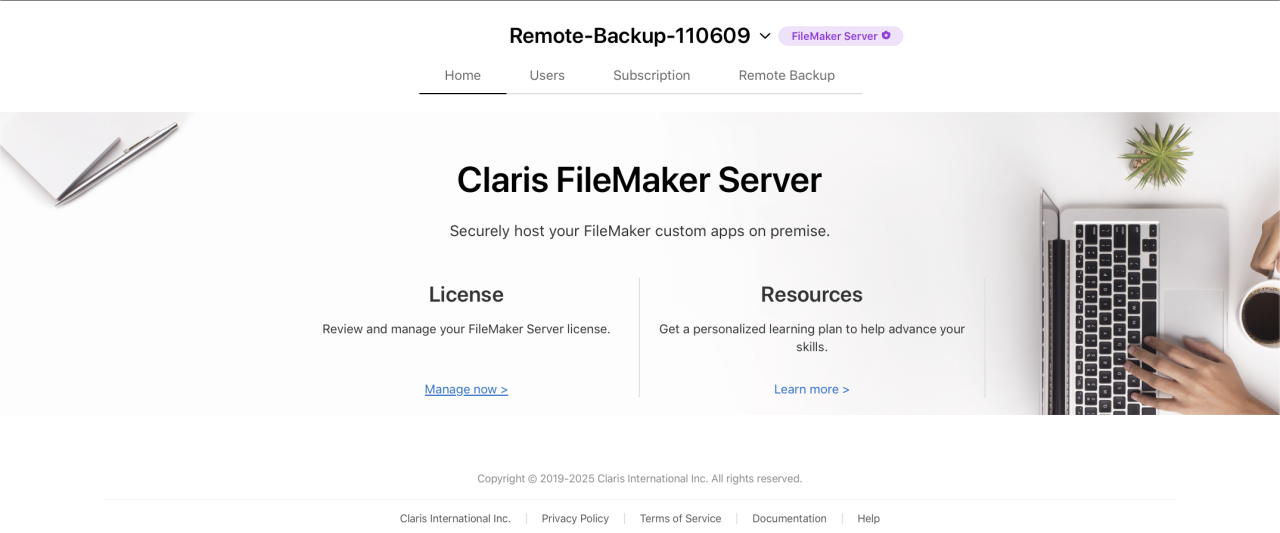
Select the Remote Backup tab
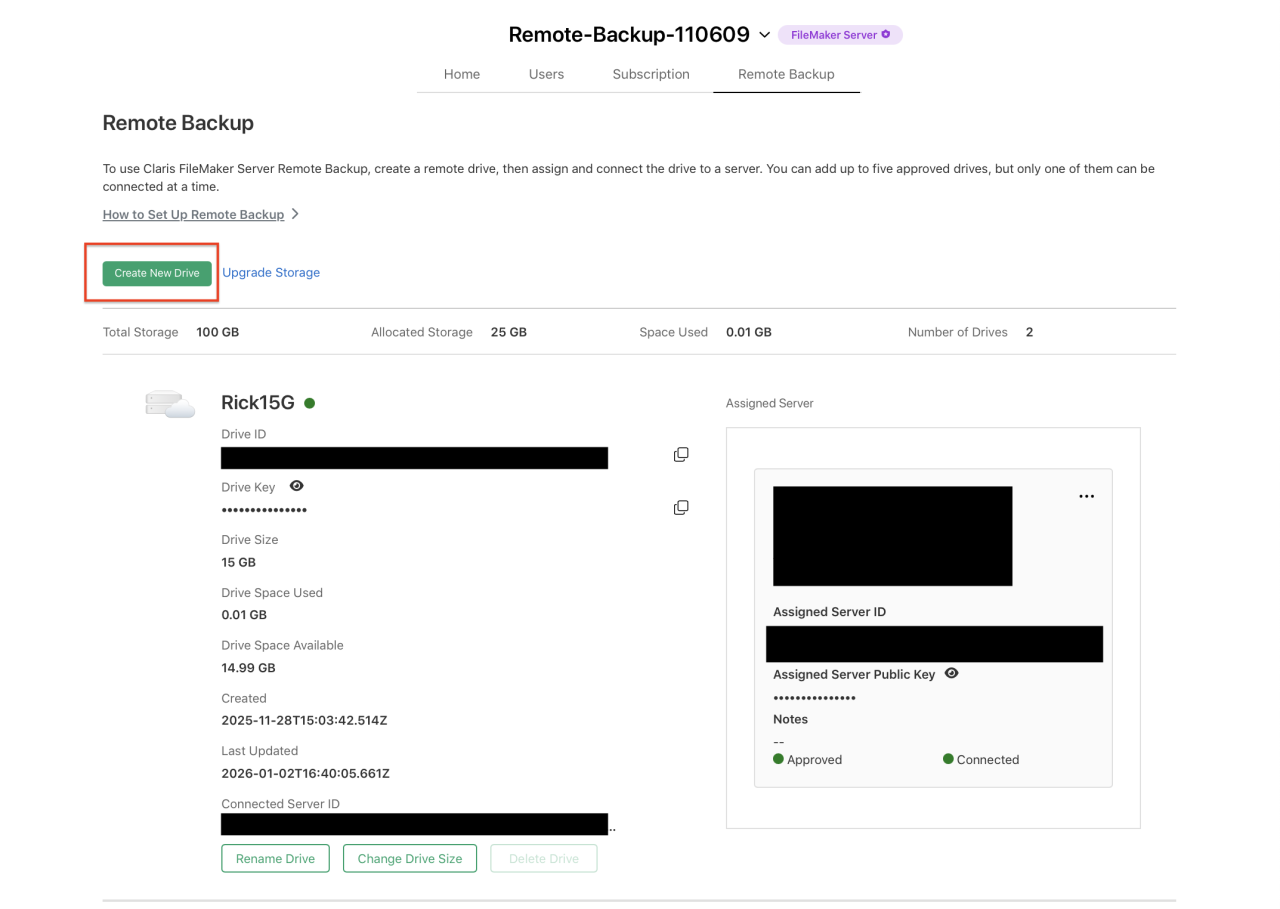
From here, you can create a new drive. You can specify the storage amount. You may only have up to 5 drives.
The above interface allows admins to manage FM backup usage.
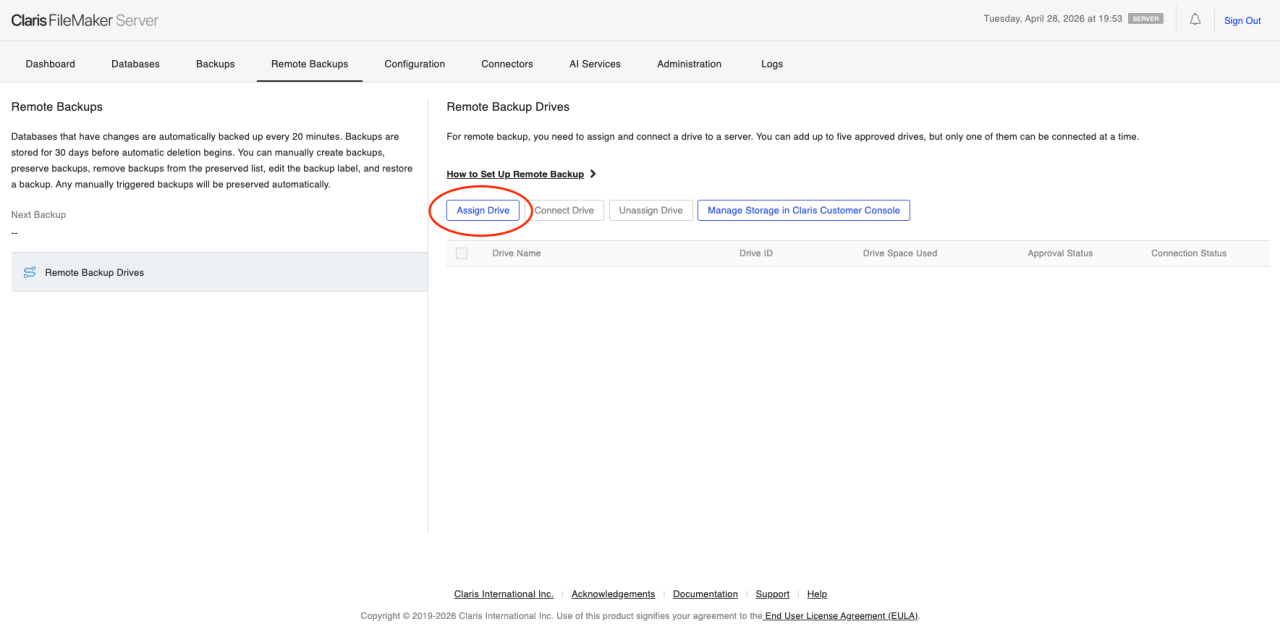
In FileMaker Server Admin Console:
Go to Remote Backups > Remote Backup Drives.
Click Assign Drive, then paste the Drive ID and Drive Key provided in Claris Customer Console.
In Claris Customer Console, click Approve Server in the Assigned Servers area for the drive.
Return to FileMaker Server Admin Console. Select the approved drive, then click Connect Drive.
Backup Administration
Once administrators set up FileMaker Remote Backup, FileMaker Server will perform backups according to a schedule. It will then sync to the cloud storage. Expired backups and logs are cleaned automatically.
When a restore is needed, the administrator will initiate a download. FileMaker Server will fully restore the file, and data integrity is validated.
Compliance Benefits
FileMaker Remote Backup also offers benefits to compliance-driven organizations. This service verifies restore capability, backup integrity, auditability, and clear retention lifecycle management.
Conclusion
FileMaker Server Remote Backup is a meaningful step forward for businesses that rely on FileMaker to run their operations. With automated scheduling, cloud sync, integrity-validated restores, and built-in retention management, it removes one of the most overlooked risks in any FileMaker environment — inadequate backup infrastructure. Whether you're protecting a small team's data or meeting the demands of a compliance-driven organization, this feature provides a reliable, scalable foundation. Set it up once, and your data is protected every day after that!
Ready for the peace of mind of knowing your FileMaker data is protected? Get in touch with DB Services, and we would be happy to walk you through it!
Did you know we are an authorized reseller for Claris FileMaker Licensing?
Contact us to discuss upgrading your Claris FileMaker software.