Claris's new FileMaker Pro 26.1 update is here, and it's packed with features that help developers build more dynamic, efficient solutions. Calculated value lists and new "By Name" script steps mean fewer workarounds and simpler code that's easier to maintain. Let's review what's new and how these updates can save your team time.
Calculated value lists
"By Name" script steps
AI tool definition improvements
Button-free custom dialogs that close on a timer
Calculated Value Lists
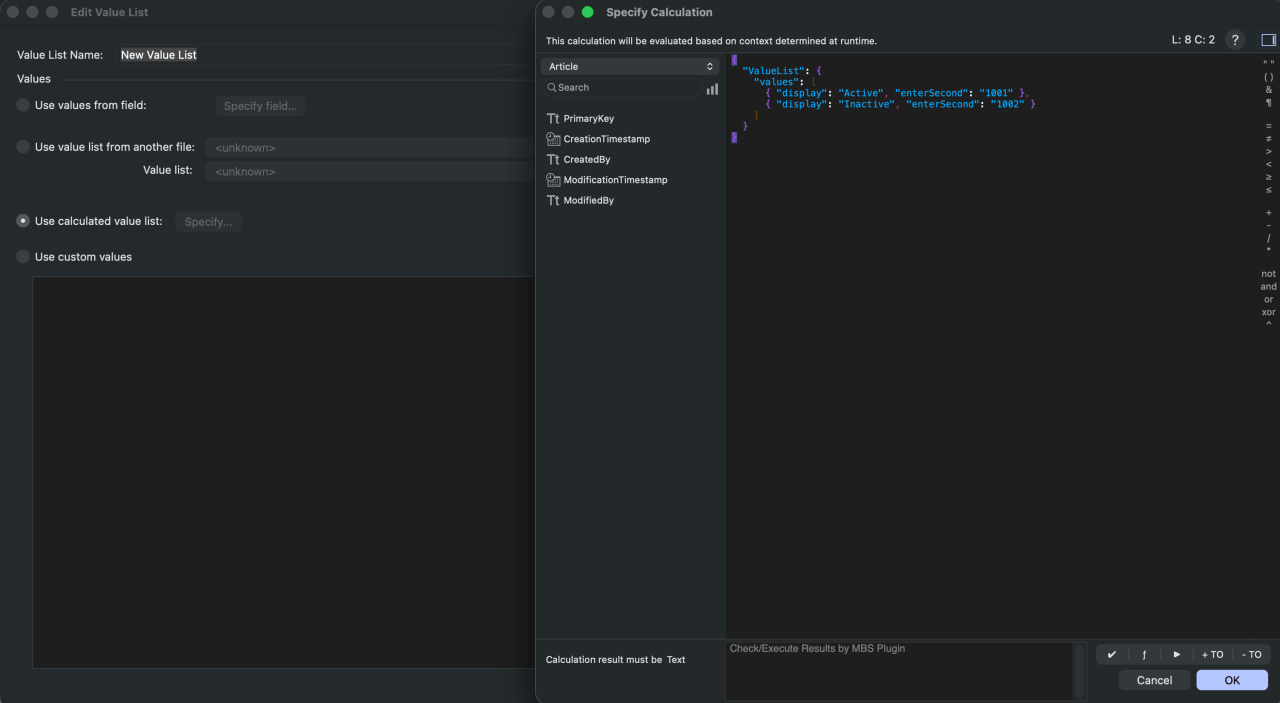
Value lists now have a new "Use calculated value list" option. Instead of pulling values from a field or typing in custom values, the list is generated entirely by a calculation. The calculation can return simple return-delimited text for a single-column list, or a JSON object using a ValueList object with a values array for more control over what is displayed and what is entered into the field. Each value supports the following keys:
display: The value shown in the list, and entered into the field when no secondary key is specified.displaySecond: Shows a second column, but only enters thedisplayvalue.enterSecond: Shows only thedisplaycolumn, but enters the second value.displayAndEnterSecond: Shows both columns and enters the second value.
For example, the following shows the status name to the user while storing its ID:
{
  "ValueList": {
    "values": [
      { "display": "Active", "enterSecond": "1001" },
      { "display": "Inactive", "enterSecond": "1002" }
    ]
  }
}
"By Name" Script Steps
The new Set Variable by Name and Replace Field Contents by Name script steps let you specify the target variable or field with a calculation. On top of that, the Go to Related Record script step can now specify its table occurrence by calculation. This means one generic script can now do the work that used to require a stack of If/Else If branches, making your scripts shorter and easier to maintain.
AI Improvements
The new GetToolDefinitions() function automatically generates AI tool definitions from your existing custom functions, using the function's name, parameters, and description. No more hand-writing tool definitions for OpenAI, Anthropic, Cohere, or Google! FileMaker also now supports image embedding with Google's gemini-embedding-2 model. This release also fixes an issue where the Generate Response from Model script step returned an empty response from Google Gemini when a question needed a second tool call.
Button-Free Custom Dialogs
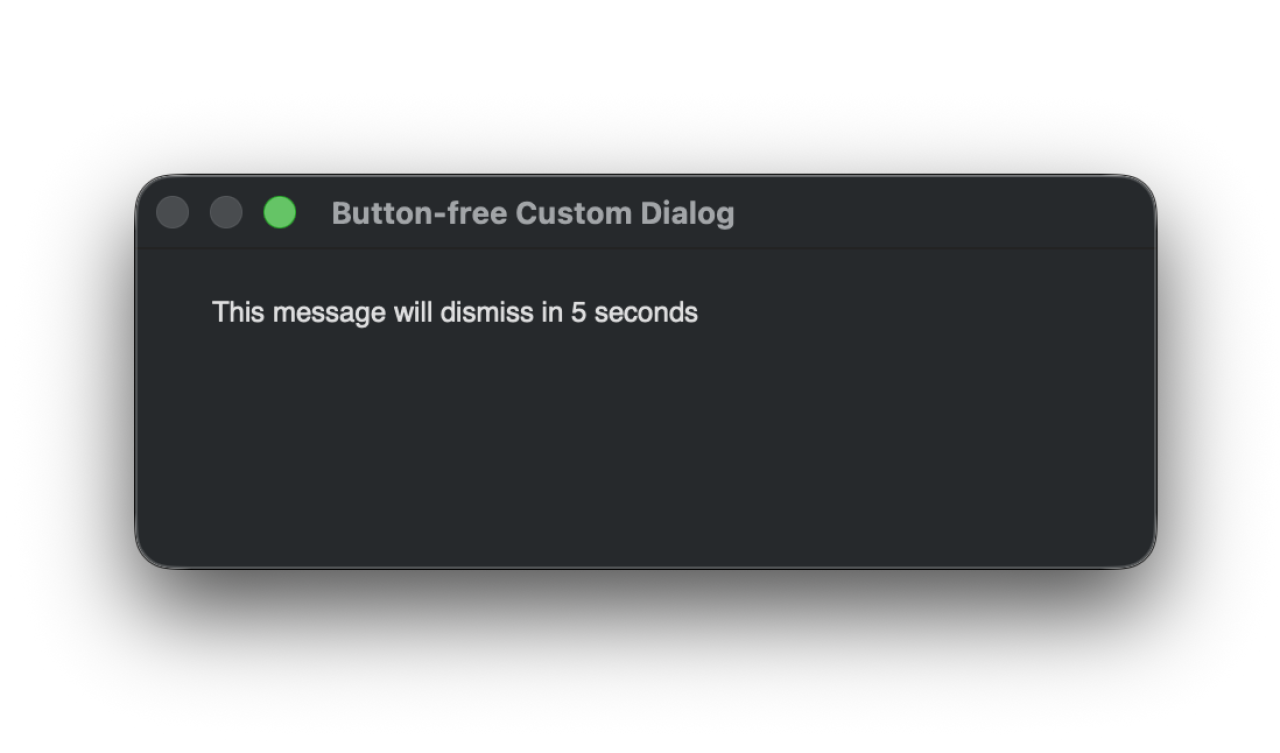
The Show Custom Dialog script step can now be configured with no buttons and set to close automatically after a specified number of seconds. If the dialog closes without a button being clicked, Get(LastMessageChoice) returns 0. This is a great way to show quick status messages without making the user click OK.
Preserve Data on Import
When using the Update or Replace import actions, there is a new option to "Preserve target field data if source field is empty." Previously, a blank value in your import file would overwrite existing data in FileMaker. Now you can keep the existing value, which removes a common source of accidental data loss.
Developer Quality-of-Life Updates
This version includes a long list of smaller improvements for developers:
The Script Debugger and Data Viewer can now be used with the "Manage database as a developer" privilege and Modifiable script access, without requiring full access.
Go to Line (Cmd + L on Mac, Ctrl + L on Windows) jumps directly to a line number in the Script Workspace.
Custom functions can now have a description, which appears in the Specify Calculation dialog.
Paste in Place pastes layout objects in the exact position they were copied from.
Hold Control while scrolling to zoom to your cursor in the Relationship Graph.
The sliding animation when switching between Browse and Layout mode is now disabled, improving responsiveness.
Conditional Formatting now defaults to "Formula is."
Field labels now follow your Drag Preferences instead of always being placed on the left.
Get(SortOrder) Function
This new function returns the current found set's sort order as JSON.
Miscellaneous Updates
Buttons can now use an SVG icon assigned by calculation.
Portals have a new option to place the "add record" row at the top.
A new “Display single checkbox without value” option shows a plain, label-free checkbox tied to a value list.
Edit boxes can show an indicator when a field contains more text than is visible.
A new Layout Setup option suppresses the "field is not modifiable" and "No records are present" alerts.
Container fields now support .avif images.
The "Use field names as column names in first row" export option now works for CSV files.
Save a Copy as XMLnow includes layout view settings and full Table View settings, and repeated exports to the same folder now overwrite the previous export instead of creating “Copy” duplicates.26.1.1 adds support for macOS Golden Gate 27 and improves support for Apple's Liquid Glass design.
System Requirements
FileMaker Pro 26.1.1 runs on macOS Golden Gate 27 or macOS Tahoe 26, and on Windows 11 Enterprise or Pro (25H2) or Windows 11 Enterprise (24H2), 64-bit only. macOS Sequoia 15 is no longer listed as supported. Hosted files need FileMaker Server 2026 (26.x), FileMaker Server 2025 (22.x), or FileMaker Cloud. If your users connect to FileMaker Server 2024 (version 21) or earlier, wait to upgrade FileMaker Pro until the server is upgraded.
Conclusion
Another update to FileMaker Pro brings another set of shiny new features to play with! For your organization, these updates add up to a FileMaker solution that is faster to build, easier to maintain, and better protected against data errors, saving your team time and money in the long run. Contact us at DB Services if you have any questions about upgrading or how these features can help your organization.
Did you know we are an authorized reseller for Claris FileMaker Licensing?
Contact us to discuss upgrading your Claris FileMaker software.